
Spot shifts with nobody on them
With All Shifts selected and nothing in the search box, look for:- A red count on a shift card: nobody is on that shift yet.
- A red or orange Sunday date: nobody is on any of that Sunday’s shifts yet.
Filter by how full a shift is
The filter buttons are under the search box. Swipe them sideways to see them all.- All Shifts: every shift. This is the default.
- Partially Filled: shifts that have some team members but still have space.
- Fully Staffed: shifts that are full.
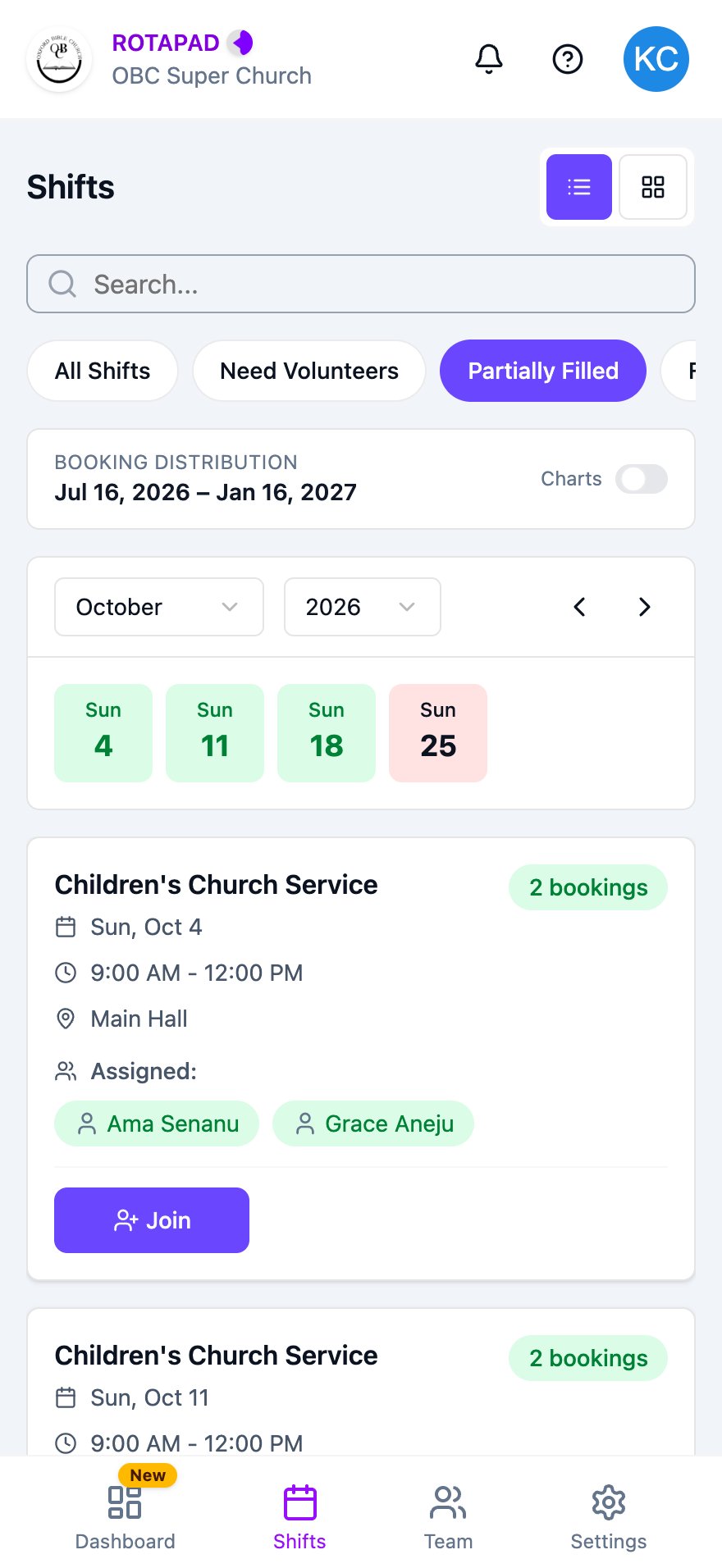
Shifts filtered to Partially Filled
Search for a team member’s shifts
Type a team member’s first or last name in the search box. The list shows only shifts with that person on them, and highlights their name. Sundays where they aren’t on a shift turn red. Search for your own name to see all your shifts. To clear the search, tap X in the search box.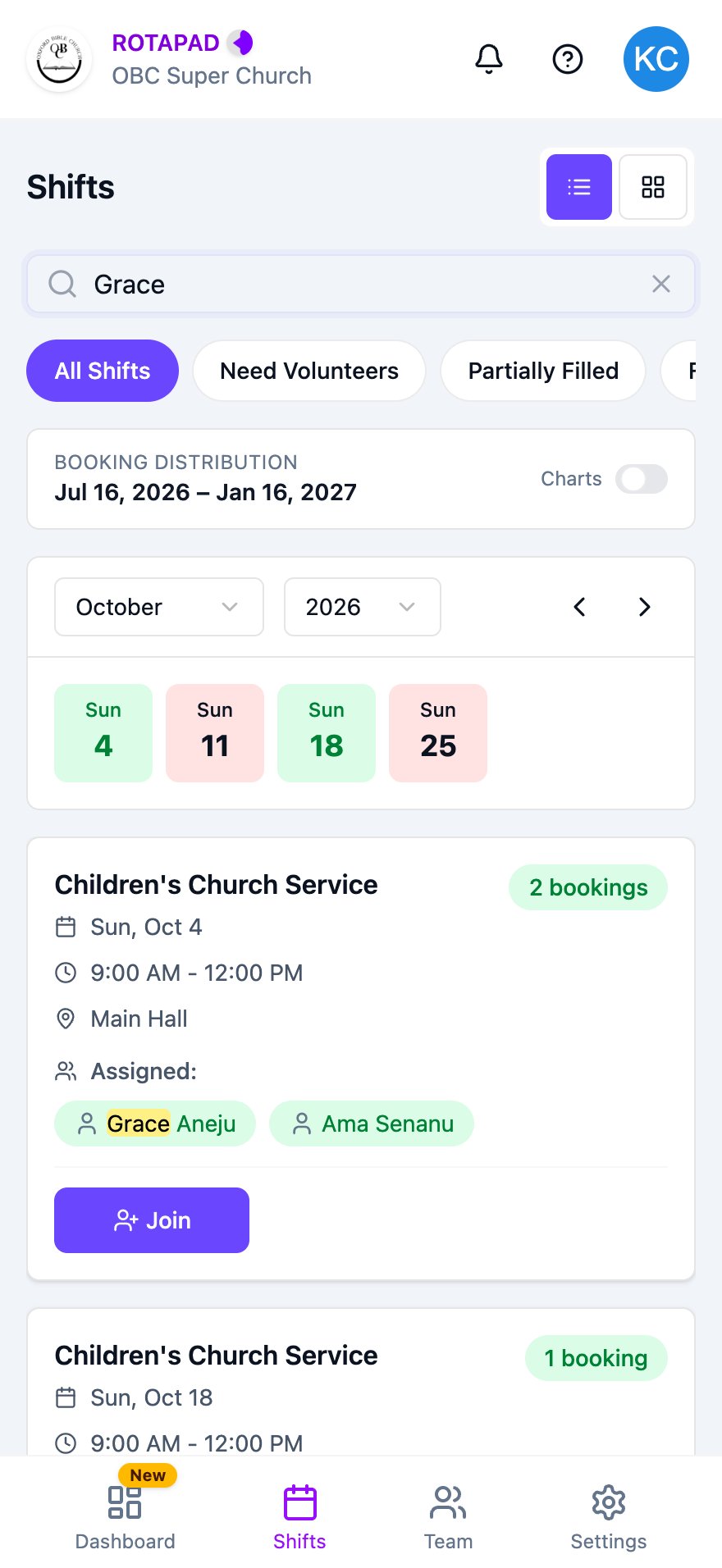
Searching for a team member
Search only looks at who’s on a shift, so shifts with nobody on them don’t appear in search results. If nothing matches, no shifts are shown.